Introducing navIQore Fuel Tank Monitoring
navIQore's first dedicated Fuel Tanks module brings tank-level measurements, fuel-type totals, historical trends, daily breakdowns and fuel alerts into one workspace, from a visual vessel overview down to individual events.
- Context
- Fuel Tanks
Understanding the fuel on board a vessel should not require piecing together tank readings, consumption figures and alerts across separate screens. navIQore's first dedicated Fuel Tanks module brings tank-level measurements, fuel-type totals, historical trends, daily breakdowns and fuel alerts into a single workspace built for vessel operations.
The Tank Overview places every configured tank on a visual vessel layout, showing its latest fill level and fuel type for a selected date range. Hovering over a tank reveals the detail behind it — current and maximum level, volume and mass, temperature and data-version — and the whole overview can be switched between volume, mass, level, temperature or noise depending on what the task calls for. For volume and mass, a fuel-type summary adds the total amount on board and its share of capacity.
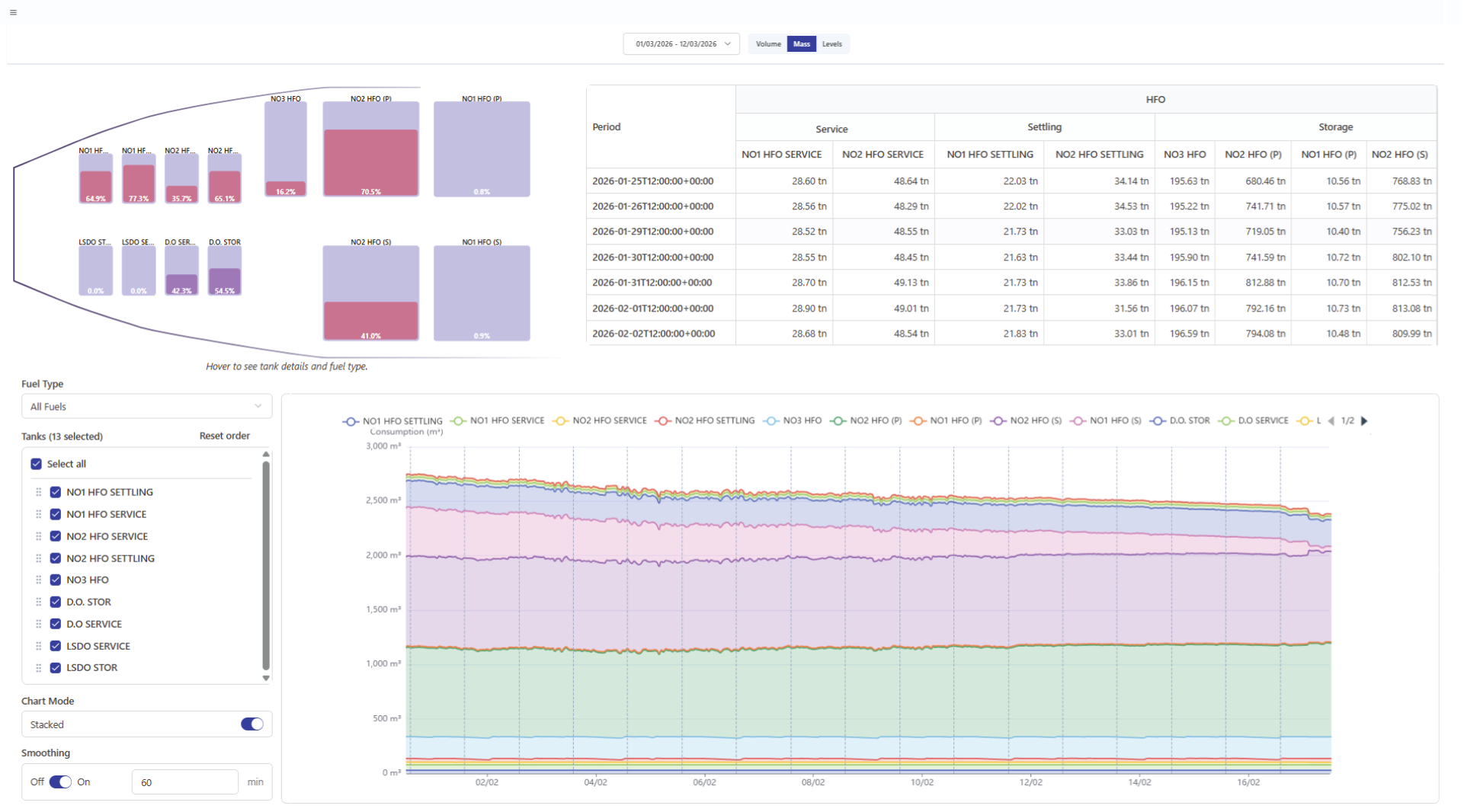
A historical chart lets users track selected tanks over a chosen period, filtering by fuel type, choosing which tanks to display, and switching between stacked and individual-series views for volume and mass — with adjustable smoothing and zoom to move between a broad trend and a specific period of interest. Noon-period markers and sailing/stopped status bands add operational context directly to the chart. Below it, a daily breakdown organises readings by fuel type, tank category — service, settling or storage — and individual tank, with fuel data and calculated differences available side by side for closer review.
The module also keeps fuel-related alerts in the same workspace: tank-level-change and tank-deviation events, shown with their active or closed status and full timeline, so unusual tank behaviour stays visible rather than requiring a separate check. Together, these views support a natural path from overview to investigation — see the current distribution of fuel on board, inspect a tank in detail, follow its trend, review the daily figures, and check for alerts, all without leaving the module.